
Find The Needle not working: a five-layer check
Work a stalled Find The Needle yard in order: power, route, machine, needle, then save, using the status lines the current build shows on machines and pipes.
Signals and status lines are as of patch V15.4 (November 9, 2026); several arrived at launch and in V13 or V14.1, so older builds lack them. Update before deep debugging.
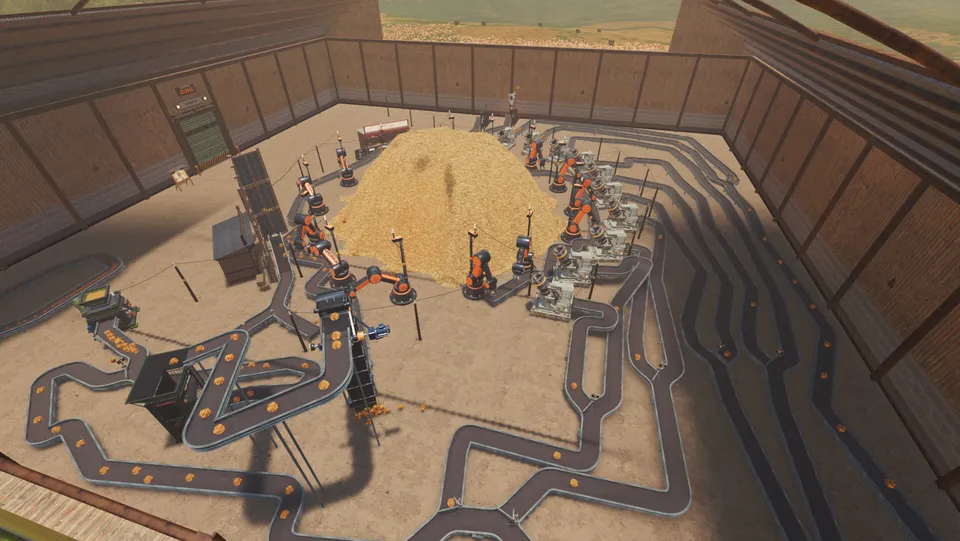
The yard stopped. What do I check first?
Start at the power grid, because one setting can stop everything at once. Then follow the route the product takes, read the machine, look for the needle, and only then touch your save. On the current build every layer has a visible signal — added at launch, V13, V14.1 and V15.4, not all in one patch — so most stops resolve in the first three checks.
Layer 1: the grid
The check: open the POWER tab on the pole or generator feeding the stopped machines.
The tab graphs what each line made and wanted, names the lines, and says why a line is short rather than only that it is. A machine that is not getting enough says SHORT OF POWER; a machine you switched off says SWITCHED OFF in red.
| What you see | Cause | Fix |
|---|---|---|
| Everything off at once | E on a pole shuts the whole network | Restore at the pole, then watch the warning clear |
| One line short, another fine | Cabling or capacity on that line | Move a machine, or run a cable from the other pole |
| Some machines off in a shortage | PRIORITY set to LAST | Reorder priorities (power priority) |
| Generator warning before a stop | Fuel running low | Feed it before it dies; generators burn scrap too |
| A machine with no water glows blue | Water, not power | Read the pipe view (water and pipes) |
Layer 2: the route
The check: walk from the pile to the stand and confirm the belt physically arrives.
Three faults live here:
- The belt ends short of the target. It runs, it is full, nothing is delivered. Extend it until it enters the port.
- A joint placed with No Snap is misaligned. F is a toggle; press it again and re-check the joint.
- A segment stalled. Stuck loads free themselves now and stalled lines restart, so a persistent stall is usually an unconnected end or a full intake — not a dead belt.
A blocked machine also names which outfeed is full, and a full intake makes loads wait outside instead of vanishing.
Layer 3: the machine
The check: read the panel before you touch the belt.
Panels show internal contents as counts like 2/3 per input, the current recipe, a countdown, and Tuning plus Quality. A jammed machine glows orange when you are close or looking at it; a mostly idle machine gets a badge.
| Symptom | Likely cause | Fix |
|---|---|---|
| Machine glows orange | Jam — scrap in a hay machine is the usual one | Clear it, or route scrap out first (scrap) |
| Machine idle with a full input | Wrong item type at the door | Check what the intake accepts; the card shows it |
| Output full, input empty | Downstream is blocked | Follow the outfeed the panel names |
| Biogas Digester or Gas Plant counting down | No water arriving | Repair the pipe line, not the machine |
| Machine runs but produces nothing | Recipe or part missing | Read the recipe card, then the UPGRADE tab |
Layer 4: the needle
The check: decide whether the needle moved or disappeared.
| What you saw | What it usually means | What to do |
|---|---|---|
| Counter went up, then a product sold | The needle returned to the pile with the sale | Fix the gate on that route |
| A needle visible, then gone | It travelled into a machine or a Depot | Read machine panels and the Depot list |
| Cabinet was full | A spare now goes into a drawer, not the floor | Check the drawer |
| Nothing found for a long time | The gate is bypassed, not broken | Trace branches after every splitter |
That whole layer is expanded on scanners and needles, including the two needle-loss bugs fixed in V14.1 and V15.4.
Layer 5: the save
The check: load an earlier save before you rebuild a working line.
Save before a big dismantle, and keep a copy of the save folder outside the game. Note what the launch changelog says: the full game keeps its own saves, and demo saves do not carry over — so a demo backup is not an EA backup (demo save and backup covers the demo folder and the copy routine).
One save-related fix worth knowing: after you turn the key at the end of a run, you must go down the hatch before buying a new pile. V14.1 fixed a bug where the game stopped saving after the key and lost the time played on the next pile.
Failures that are not your layout
- Freezes or black machines after an hour on a big yard. V15.4 found a belt memory leak behind it and fixed the last of it on DirectX 12 while raising the limit. On an older build, update first.
- Frame rate sliding as a session goes on. V15.4 also fixed slow leaks that caused it.
- The game will not open at all. That is not this page: see the game will not start.
- Windows Smart App Control blocked the game. V15.4 makes the message say so and explains the fix.
- The delivery truck knocks you over. It does that. Stand aside when it leaves.
If the game closes by itself, that is a crash: reports go out automatically, and anything else goes to the developer Discord linked from Steam news.
For the first-hour version of these checks, see the beginner guide; for machine roles, the machines index; for what each patch changed, patch notes.
Related Articles
guides
Find The Needle blueprints and Dismantle Mode
Save a Find The Needle build on a Blueprint Designer pad, copy it anywhere, and use the Needle Hammer to take it down with the refund shown first.
guides
Find The Needle day, night and lighting
Nights are brighter since V14.1 and Options has a brightness slider, but lamps, flood lights and a Light Sensor still pay for themselves in Find The Needle.
guides
Find The Needle demo versus the full game
The free demo stops at V8 and has no metal, Depot, pipes or blueprints. A straight list of what the Early Access build adds, and what it does not.
Was this helpful?
Thanks for the feedback!